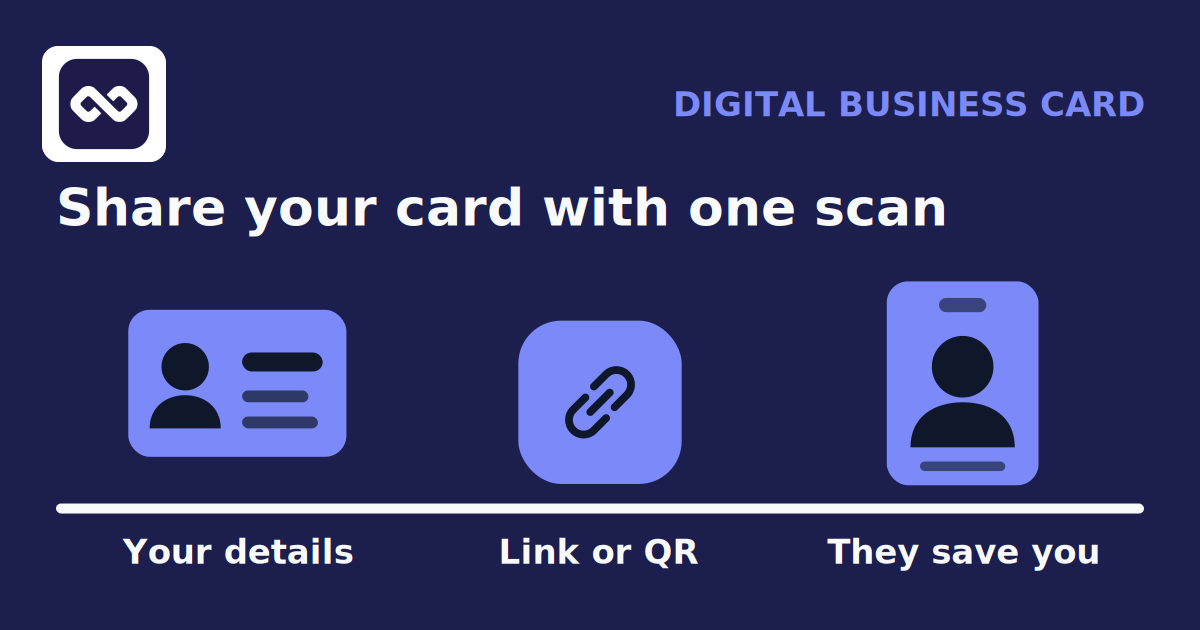
A digital business card for a consultant is one link, and a QR code, that shows who you are and lets a new contact save you in a single tap. You share it from your phone, they open it in a browser, and your details land in their contacts without anyone typing. The real question is not whether to carry one. It is what to put on it so a stranger trusts you in ten seconds and knows what to do next.
This guide covers exactly what belongs on a consultant's card, a field-by-field reason each item earns a reply, what the person on the other end actually sees, and how sharing your own card differs from scanning someone else's business card.
The short version
- Lead with a specific positioning line, not a vague job title: who you help and how.
- Give two or three contact channels, a booking link, and the credentials that actually matter in your field.
- Make it saveable in one tap with a vCard and a QR code, so it works even if the other person never opens an app.
- Sharing your card is outbound. Capturing the people you meet is a separate job, and the two work best together.
What a consultant's digital card is, and is not
A digital business card is a public profile page with its own link, usually paired with a QR code so you can share it face to face. Point a phone camera at the code, or tap the link, and the page opens. From there the contact can save your details, visit your booking page, or message you on the channel you prefer.
It is not a redesigned paper card, and it is not a lead-capture machine. A good digital card does one thing well: it hands over your details cleanly and points to a next step. It does not automatically file the people you meet, and it does not replace the system where you keep track of them. Keep that distinction in mind, because it decides what belongs on the card and what belongs somewhere else.
What to include, field by field
Consultants win work on trust and specificity. A new contact is deciding, fast, whether you are worth a reply. Every field on your card should either build that trust or make the next step easier. Here is what earns its place.
A positioning line, not just a title
"Executive coach" tells a stranger almost nothing. "Leadership coaching for Series B founders" tells them whether you are for them. Put a one-line description of who you help and the result you deliver directly under your name. This single line does more work than anything else on the card.
Name, role, and firm
Your name, your title, and your company or practice. If you run independently, your practice name is fine. This is the anchor the rest of the card hangs from, so keep it clean and readable.
The credentials that matter in your field
Relevant designations reduce the trust you have to earn from scratch. An MBA, PMP, CPA, CFA, or an ICF coaching credential signals competence before you say a word. Include the ones your buyers recognise, and leave off the alphabet soup they do not.
Two or three contact channels
Give people a choice, but do not overwhelm. An email, a phone number, and one messaging or social channel is usually enough. Many consultants add LinkedIn so a new contact can see your background, plus WhatsApp or another messenger for a quick reply. More than three or four channels starts to read as noise.
A booking link
For a consultant, the point of the card is often to get a conversation on the calendar. A link to the scheduling tool you already use collapses the gap between meeting someone and booking time with them. On most digital cards, including TaliCRM, the booking button links out to your existing scheduler rather than taking bookings itself, so keep using the tool you trust.
A short proof point or portfolio link
One link to a case study, a white paper, or a short service description does more than a paragraph of claims. It gives a serious prospect somewhere to go when they want to know you are real before they reach out.
A photo
A clear headshot makes the card feel like a person rather than a directory entry. For consultants, whose personal brand is the product, this matters more than it does for a large company.
| Put this on the card | Because it |
|---|---|
| Positioning line | Tells a stranger in one line whether you are for them |
| Credentials that fit your buyers | Builds trust before the first conversation |
| Two or three contact channels | Lets people reach you the way they prefer |
| Booking link | Turns a hello into time on your calendar |
| Proof point or portfolio | Gives a serious prospect a reason to believe you |
| Headshot | Makes the card feel like a person, not a listing |
A worked example
Here is an illustrative card for a fictional consultant, to show how the fields fit together. The details are invented for this example.
- Name: Maya Osei
- Positioning line: Operations consulting for Canadian clinics scaling past five locations
- Firm and role: Principal, Osei Operations
- Credential: MBA, PMP
- Contact: email, mobile, LinkedIn
- Booking: a link to her existing scheduling page
- Proof: one link to a short clinic turnaround case study
Notice what is not there: no home address, no twelve social icons, no personal phone she does not want on a public page. A digital card is public to anyone with the link, so you decide deliberately what becomes visible. Maya could also keep a second, separate profile for her speaking work, so a conference organiser sees her talks and a clinic owner sees her consulting.
What the other person sees
This is where a digital card either works or quietly fails. When you share your link or QR code, the other person opens a normal web page in their browser. They do not need to install anything, and they do not need the same app you use. From that page they can save your details as a standard contact card, so your name, number, and email go straight into their phone's address book.
That matters at an event. The person you just met is not going to download a new app at the booth. They will scan, tap save, and move on, and your details are in their phone before they forget your name. A card that asks the other person to sign up for something is a card that gets closed.
Sharing your card vs scanning theirs
These two jobs feel similar and are often confused, but they point in opposite directions.
Sharing your card
Outbound. Your details, a QR code, and a vCard that a new contact saves in one tap. You control what is public.
Scanning theirs
Inbound. You capture the people you meet, add context while it is fresh, and follow up later from one place.
Most consultants need both. You hand over your own card to be remembered, and you capture the forty people you met so you can actually follow up. A digital card handles the first half. For the second half you want a place that keeps the person, your notes, and the next step together, which is what a personal CRM is for. The card gets you saved. The CRM makes sure you do the saving too.
Setting one up
In TaliCRM, a digital business card is a profile page at your own link, with a QR code and a downloadable contact card. You add your photo, title, company, and the contact details you want public, then add optional fields like LinkedIn, WhatsApp, a website, or a booking link. You can reorder the sections, choose a colour theme, and keep more than one profile for different audiences. If you would rather a profile stay off search engines, there is a setting to turn indexing off for that page.
A few honest limits are worth knowing. The booking button links to the scheduler you already use rather than taking bookings itself. The page is public to anyone with the link, so only add what you are happy to share. And it is a paid feature that starts with a free trial, so check the current plan details on the feature page before you commit.
Share your card, and keep the people you meet
A digital card to hand out, and a personal CRM to remember everyone who takes one.
Get started with TaliCRMFAQ
What should a consultant put on a digital business card?
Your name, a specific positioning line, the credentials your buyers recognise, two or three contact channels, a booking link, one proof point, and a headshot. Leave off anything you would not want public, since the page is open to anyone with the link.
Does the other person need an app to save my card?
No. They open your link in a normal browser and save your details as a standard contact card. There is nothing for them to install and no account to create.
QR code or vCard, what is the difference?
The QR code is how you share the card in person, by letting someone scan it with their camera. The vCard is the saveable contact file behind it, the thing that drops your name and number into their address book. A good digital card gives you both.
Is a digital business card professional enough for consultants?
Yes, when it is specific and clean. What reads as unprofessional is a vague title, a wall of social icons, or a dead booking link. A card with a clear positioning line and a working path to book time looks more considered than a paper card, not less.
How is sharing my card different from scanning someone else's?
Sharing is outbound: you hand over your details to be remembered. Scanning is inbound: you capture the people you meet so you can follow up. They are separate jobs, and most consultants do both, which is why it helps to keep your card and your contacts in the same place.